
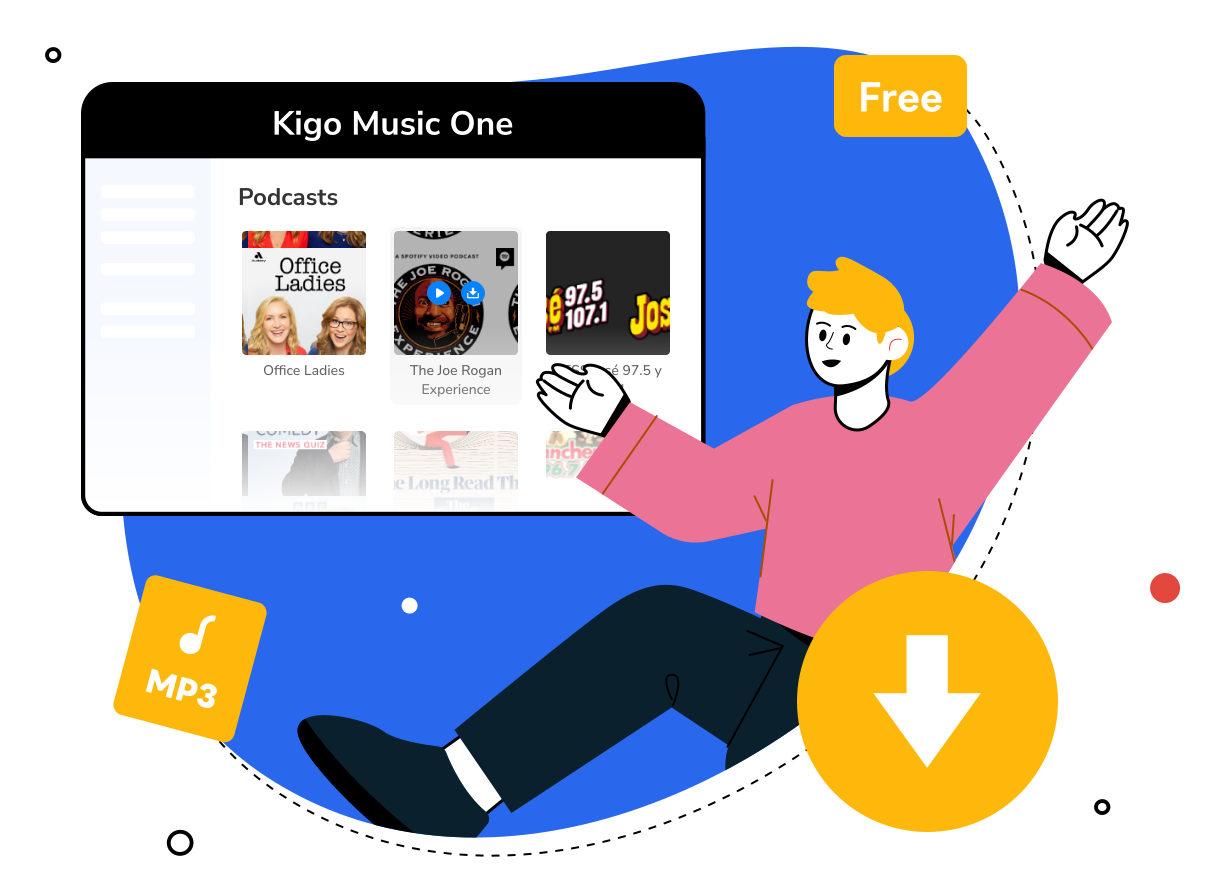
Free Podcast Downloader for PC - Kigo Music One
"I'm going to an area with limited internet. How can I download Podcast episodes as mp3s in advance?"
You may use a couple of different podcast apps, but the download feature is not always available. If you want to download any podcasts to MP3 for offline listening, a powerful podcast downloader is the best solution. Kigo Podcast Downloader is a reliable and free podcast to MP3 downloader for both Windows and Mac users, allowing you to search, listen to and download podcasts all in one place.
In this article, we will introduce the key features of Kigo free podcast downloader, show you how to save episodes as MP3 in bulk and answer common questions about downloading podcasts. Let's get started!
Part 1: Key Features of Kigo Podcast Downloader
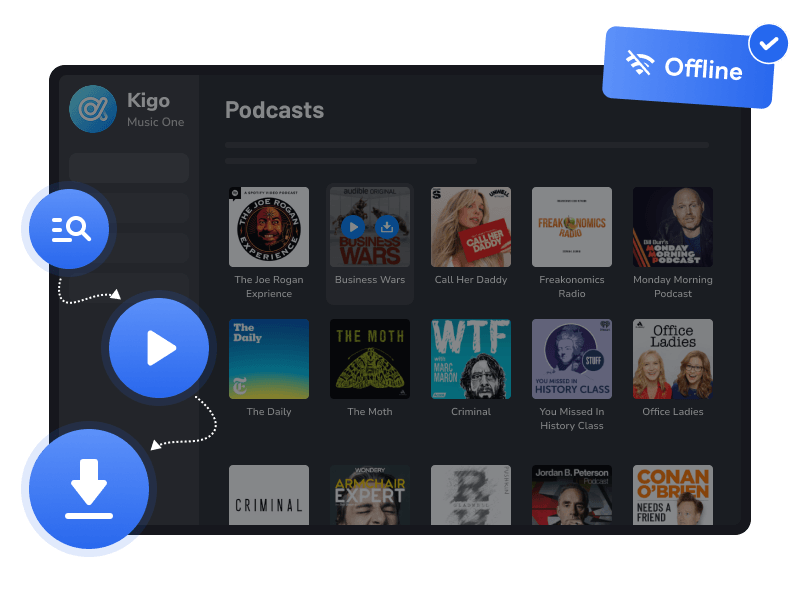
Find, Play and Download Podcasts—All in One Place
Kigo Podcast Downloader provides a seamless way for podcast enthusiasts to discover, listen to, and download podcasts as plain audio files for offline listening. With this free podcast to MP3 downloader, you can search for any show, save individual episodes, or bulk download full seasons—so you can take your favorite podcasts anywhere.
No more switching between different apps—podcast listening should be simple. Instantly search episodes from popular platforms such as BBC, TED, Podbean, NPR, ESPN, The Verge, and Wondery. Use the built-in player to listen directly, and download your favorite podcasts for offline access anytime, even without an internet connection.
Discover Episodes from Over 10,000 Websites
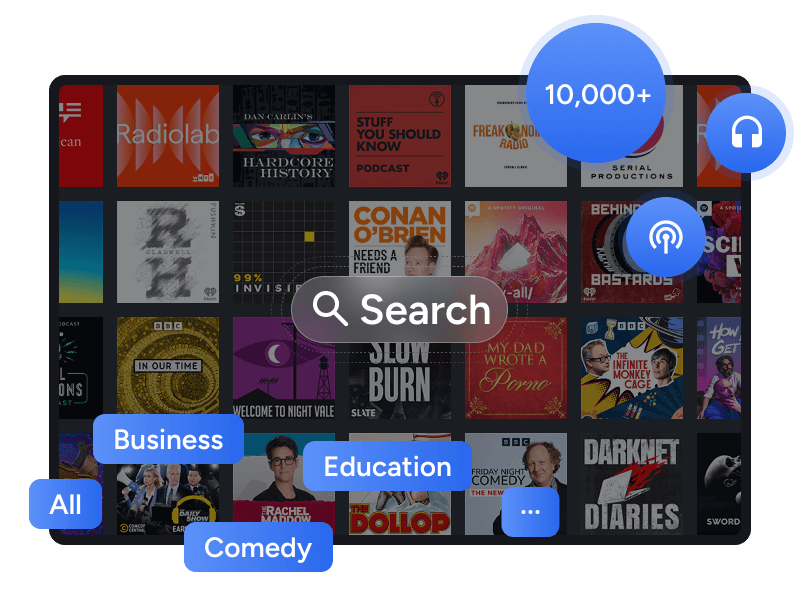
No matter whether you want to find a podcast to listen to while walking, helping your baby sleep, exercising, or driving, you can easily find the right one with Kigo Podcast Downloader. With access to a library of over 10,000 podcasts, the program brings together a wide range of podcast episodes and provides both a search bar and genre filters to help you quickly find the content you want.
By navigating to the Podcast tab in Kigo Podcast Downloader, you can view an overview of all available podcasts. Looking for a specific show? You can browse by genre—such as history, comedy, tech, education, kids & family, and lifestyle—or simply enter the podcast name or author in the search bar. With detailed information provided (including show name, cover art, author, language, genre, and a brief description), along with a complete list of episodes, you can easily find and enjoy the podcasts you're interested in.
Save Single Episodes or Bulk Download at High Speed
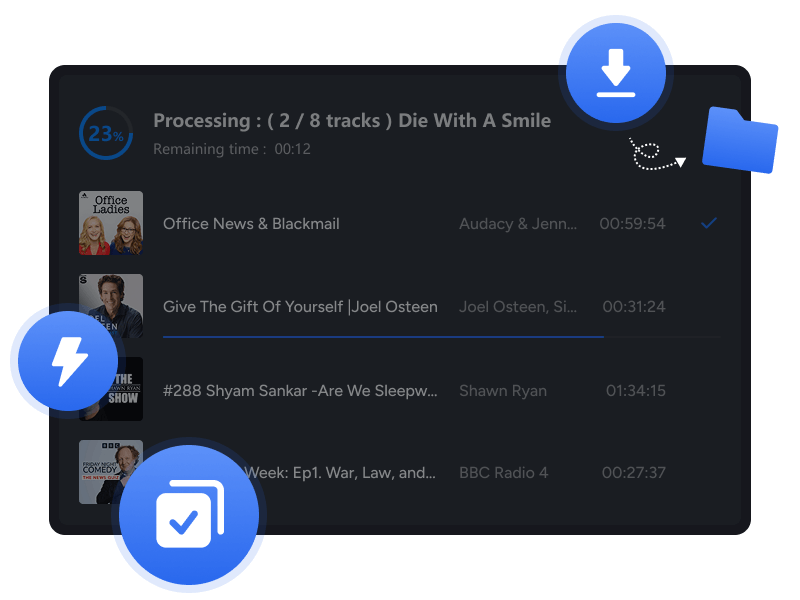
You no longer need to worry about podcast download efficiency. Instead of downloading episodes one by one, Kigo Podcast Downloader allows you to select and download all episodes of a podcast at once. If you only need a single episode, you can easily choose and download the exact one you want.
With download speeds boosted up to 10× faster, you can save podcasts to your PC quickly and efficiently. The program also offers a "Filter Converted" option, which helps you skip already downloaded episodes and avoid duplicate downloads.
Download Podcasts to MP3 for Offline Listening
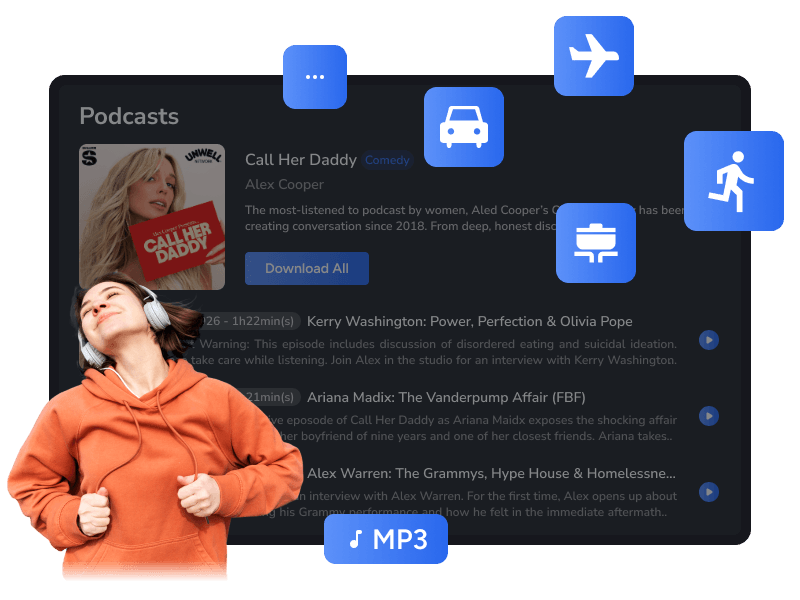
Kigo Podcast Downloader saves podcasts as MP3 files while preserving their original sound quality. As the most widely supported audio format, MP3 allows you to play downloaded podcasts on virtually any media player or device for convenient offline listening anytime, anywhere.
With the original audio quality retained, you can enjoy rich and immersive sound even when listening offline. Whether you're running, jogging, cooking, driving, or on a plane, you can listen to your favorite podcasts in high quality without an internet connection.
Download Podcasts from All Streaming Services
Want to download podcasts from Apple Podcasts or Spotify? Kigo Podcast Downloader has you covered. Simply select Apple Music or Spotify service within the program, and you can access your library and choose the podcasts you want to download in a variety of audio formats, including MP3, AAC, FLAC, ALAC, AIFF, and WAV.
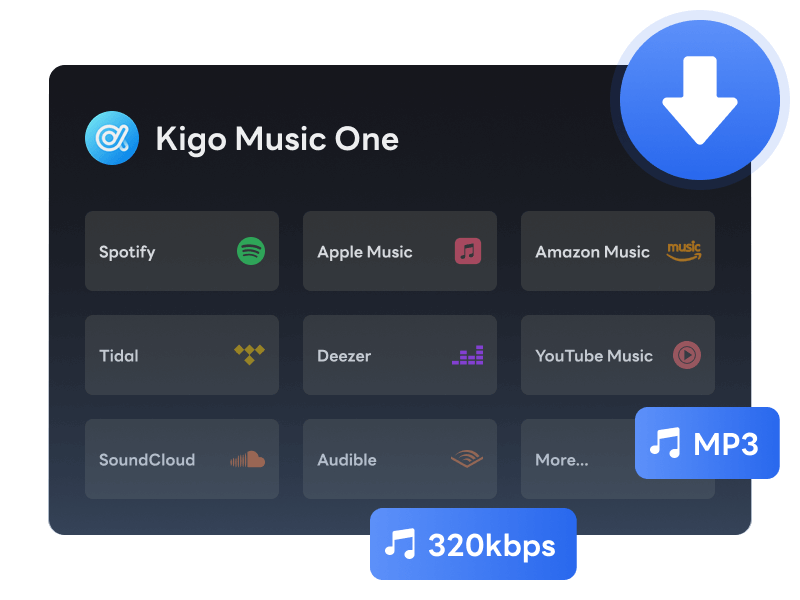
In addition to podcasts, the program can also download songs, albums, playlists, and audiobooks from popular streaming services such as Spotify, Apple Music, Amazon Music, Tidal, YouTube Music, Pandora, and SoundCloud. It serves as a comprehensive streaming music downloader, allowing you to save your entire online media library locally. No quality loss!
Part 2: How to Use Podcast Episode Downloader on Computer?
Podcast downloading is a built-in feature of Kigo Music One, which is available for both Windows and macOS. If you're looking to download podcasts as MP3 files on your PC or Mac, simply install Kigo Music One and follow the guide below to save any podcast episode in MP3 format.
- Step 1 Move to Podcast tab
- Step 2 Find the podcast you want to download
- Step 3 Download a single episode or all episodes of the podcast
- Step 4 Download podcasts to MP3 in batch
Launch Kigo Music One and navigate to the Podcast tab. From here, you can browse an extensive library of over 10,000 podcasts directly within the panel.
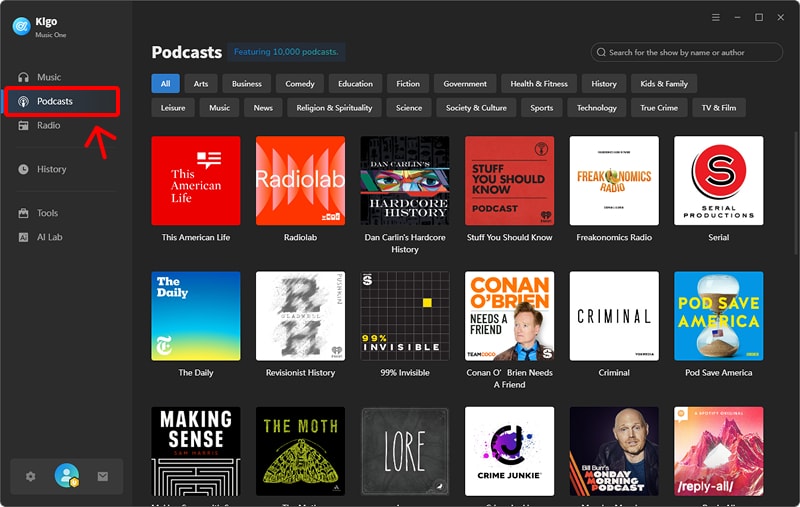
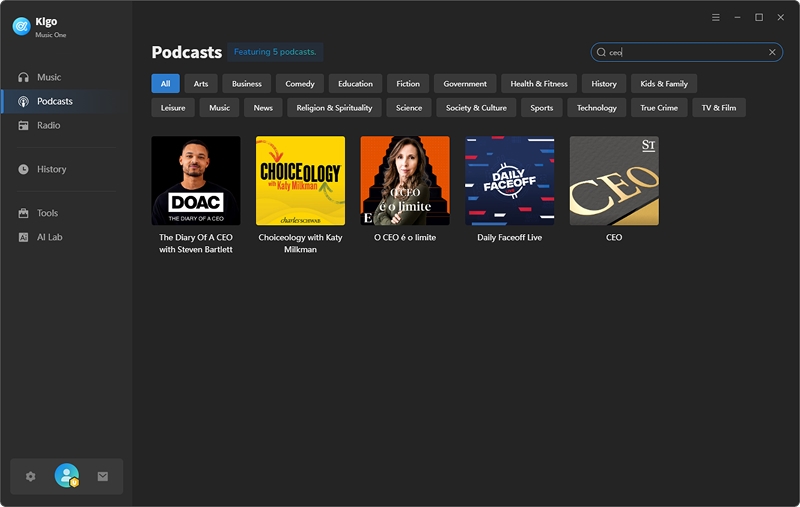
To find a specific show, enter the title or author in the search bar and select it from the results. Alternatively, you can explore new content by browsing categories such as Fiction, Technology, History, and Business. Click on any podcast to view its details.
The program displays detailed podcast information, including the Show Name, Cover Art, Author, Language, Genre, and Description. Click the Download All button to save all episodes directly to MP3, or click the Download icon beside a specific episode to save it individually.
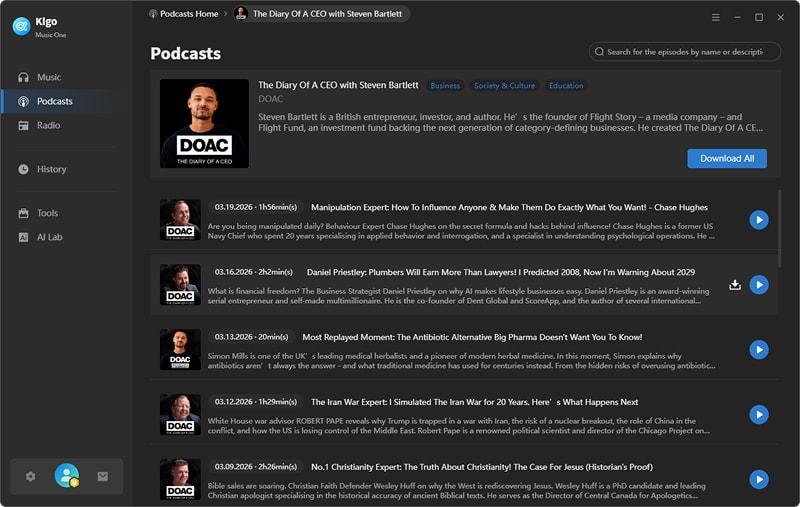
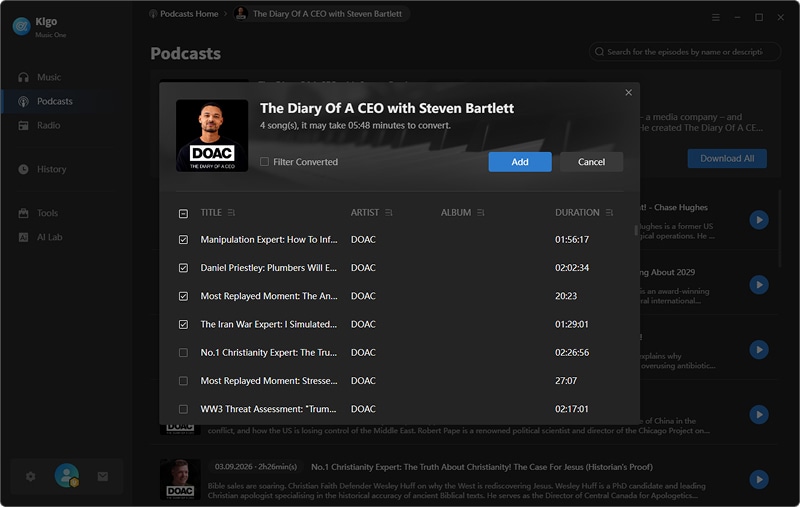
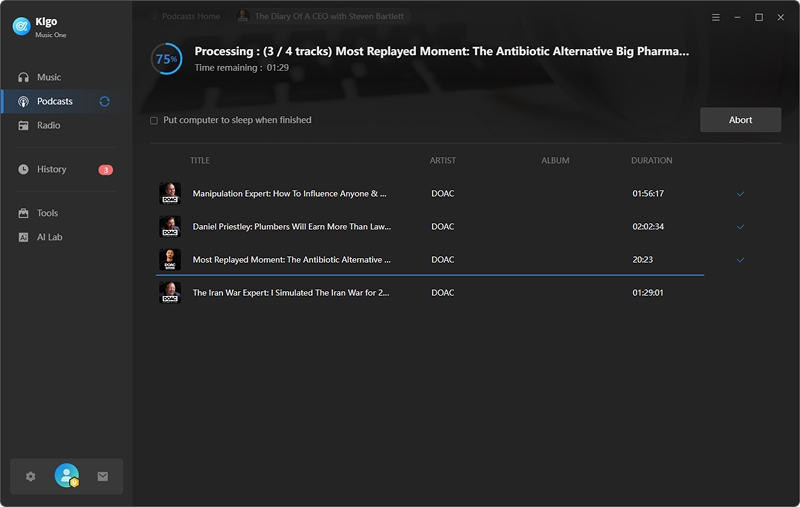
Kigo Podcast Downloader detects the podcast and displays all available episodes on the panel. Click Add button to select the podcast episodes to the queue, then click the Download button at the top to initiate the MP3 conversion on your PC. With Kigo's high-speed bulk downloader, you can quickly build your offline library with just one click.
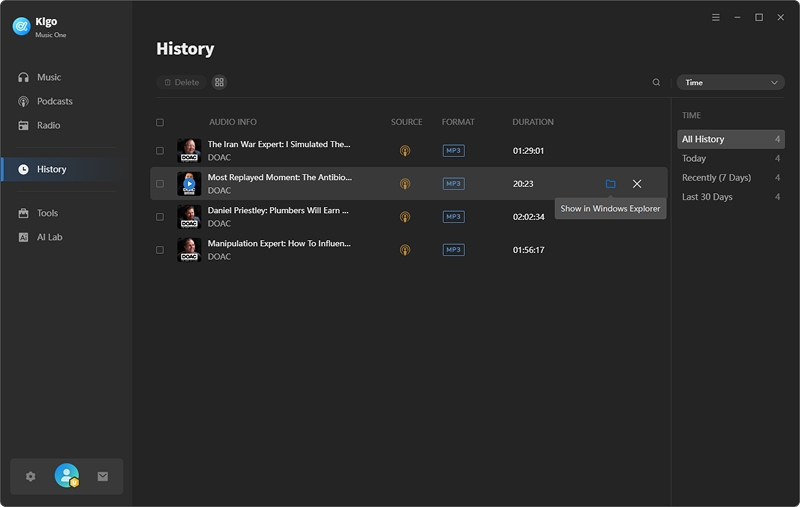
To find your saved podcasts, click the History icon. You can then click the folder icon to locate the files on your PC instantly.
Part 3: Feedbacks on Kigo Podcast Downloader
4.9
What Our Clients Say
Kigo Music One earns rave reviews from users, lauded for its exceptional speed, efficiency, quality, and intuitive user interface.
Part 4: FAQs about Downloading Podcasts
Q1: Can I download podcasts for free?
Yes, Kigo Music One is a free podcast downloader. It allows you to discover and download podcasts from over 10,000 sites directly to your computer for free.
Q2: Is it possible to download podcasts and listen offline?
Yes, you can download podcasts for offline listening with Kigo Music One. While most streaming services require a premium subscription and restrict playback to their own apps, Kigo Music One allows you to download podcasts directly to your PC.
Q3: How do you download podcasts to a file?
To download podcasts as MP3 files, use a dedicated tool like Kigo Music One. While standard streaming apps save files in a protected format that only works within their own app, Kigo allows you to convert and save podcasts into a universal MP3 format compatible with any media player.
Conclusion
Finding a reliable podcast downloader doesn't have to be a challenge. Kigo Music One offers a seamless, all-in-one solution to discover, stream, and download podcasts in high-quality MP3 format. Ready to build your offline library? Download Kigo Music One today and enjoy your favorite shows offline, anytime, and on any device.

Simon Durden | Senior Writer
Simon Durden is the Senior writer at KigoSoft, specializing in music, video download and conversion. Before joining to KigoSoft, he served as a senior writer with the Any Video Converter Team. With extensive knowledge of music, video streaming platforms and expertise in video editing, Simon delivers high-quality content, expert tips, and in-depth tutorials in the multimedia field.