
10+ Free Online Spotify Playlist Downloaders [Work in 2026]
Can I download Spotify playlist to MP3 online? Is there an easy way to download an entire playlist from Spotify into MP3 files to enjoy in my car?
Spotify's official restrictions prevent direct downloads for local storage. But don't be upset. There are several tools that can help you download Spotify playlist to MP3. In this post, we will highlight the best free online Spotify playlist downloaders that are still available in 2026. For those seeking 100% lossless quality and batch conversion, we also recommend a professional-grade tool to enhance your experience. To find the most reliable, safe and effective method to export your Spotify songs to MP3, keep reading!
Note: There are dozens of free Spotify MP3 downloaders online, supposing to download Spotify songs to MP3 for offline listening. These tools have their own advantages; however, they do not record sound from Spotify directly, but search and get the song from YouTube video, making the audio quality not guaranteed. If you care much about music quality and want to build your own music library, Kigo Spotify Converter is overall the best Spotify playlist downloader for you.
Part 1. Best Spotify Playlist Downloader: Kigo Spotify Converter 👍
⭐ Lossless quality kept, various audio output supported, ID3 tags retained, 10x download speed!
Kigo Spotify Converter is capable of downloading any kinds of Spotify content to your computer, including single track, album, playlist, podcast and audiobooks. It can not only convert Spotify songs to MP3, but also provide option to keep the lossless 24-bit FLAC music for high fidelity listening experience. With up to 10x conversion speed, Kigo Spotify Converter makes it a breeze for you to download large playlists from Spotify, saving time and efforts. Since ID3 tags are key info of the song, Kigo Spotify Converter preserves the metadata info of every track when downloading, helping you organize and manage your music library like a piece of cake. The downloaded Spotify playlists are saved permanently on your computer and can be imported into CapCut as background music or transferred to cloud drives for backup.
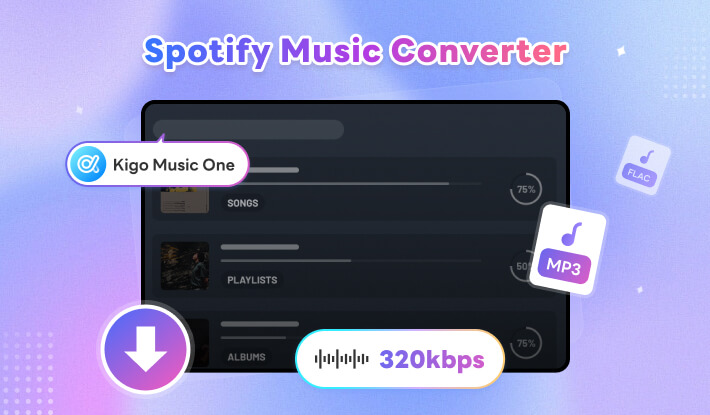
Comparing to free online Spotify downloaders, Kigo Spotify Converter records songs from these dual recording mode - Spotify app and Spotify web player. By extracting audio from Spotify directly, you can get original quality from your favorite Spotify songs as well as get seamless conversion experience. Additionally, the program integrates useful tools which supports burning Spotify songs to CD, editing ID3 tags, converting local audio and exporting songs to iTunes in one place. It is powerful, easy-to-use and of stable performance, Kigo Spotify Converter is a top-notch tool for both Spotify Free and Spotify Premium users.
How to Download Spotify Playlist with Kigo Spotify Playlist Downloader?
- Step 1 Download and install Kigo Spotify Playlist Downloader
- Step 2 Find Spotify playlist
- Step 3 Set MP3 as output format
- Step 4 Start downloading songsDownload Spotify playlist to MP3
Kigo Spotify Playlist Downloader is available on both Windows and Mac computer. With light size around 5MB, it is very easy and fast to install the program on your PC. Once you install the program successfully, open it.
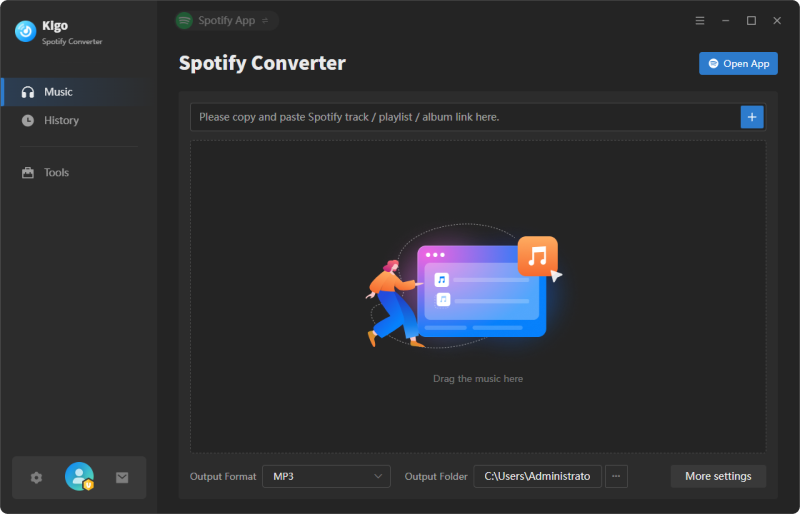
Find the Spotify playlist you'd like to download, then drag and drop to Kigo Playlist Downloader. The application will detect the songs and list the tracks one by one. During the time, you can even delete the songs you don't want from the whole playlist.
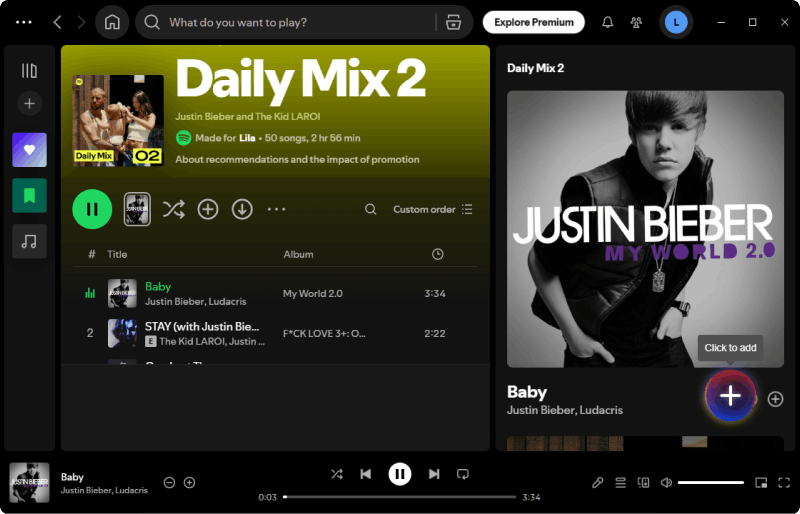
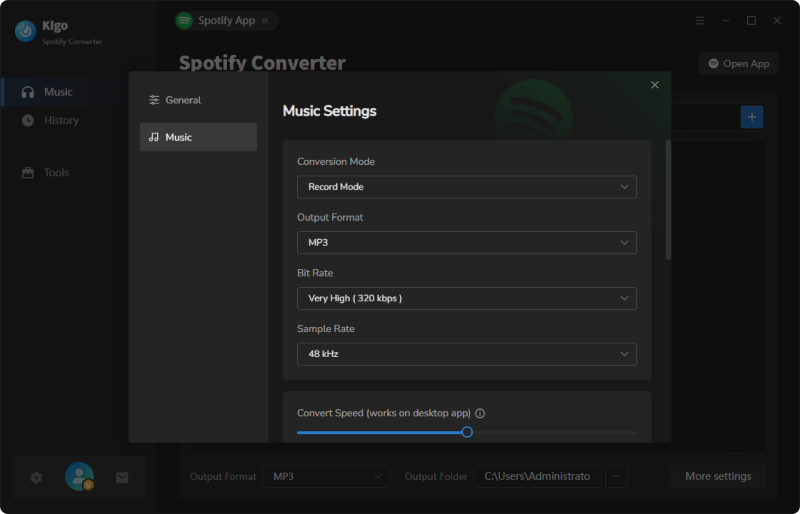
Go to Settings, choose MP3 as output format. And you can do more. Kigo Spotify playlist downloader offers flexible options for you to customize the bit rate (up to 320kbps), sample rate, conversion mode, speed, the way to organize output and so on. You can adjust the parameters according to your needs.
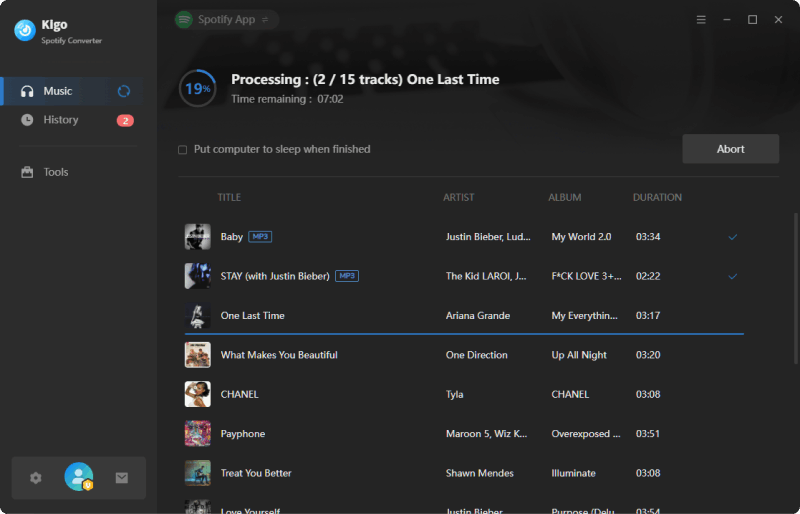
Click "Convert" button to start downloading your selected Spotify playlist to MP3 files in batch, with 10x conversion speed.
Part 2. Free Online Spotify Playlist Downloaders
Free always comes with risk, the same thing happens to free online Spotify playlist downloaders too. By using the Spotify playlist downloader online free tools, you may have to suffer the thread of virus and privacy leakage because of the ads and unknown redirects. If you are looking for a safety and reliable Spotify playlist downloader, we recommend using Kigo Spotify Converter introduced above. If sound quality and ads are not what you concern, you can try the free options below. We will introduce each one with step-to-step guide to download Spotify playlist to MP3 and show you the pros and cons according to our test.
1. spotidownloader.com
| SpotiDownloader | |
|---|---|
| Link | https://spotidownloader.com/en16 |
| Working platform | Windows, macOS, Phone, Tablet |
| Output Quality | Lossy audio quality (128kbps MP3) |
| Speed | Fast |
| Price | Free |
| Ease of use |
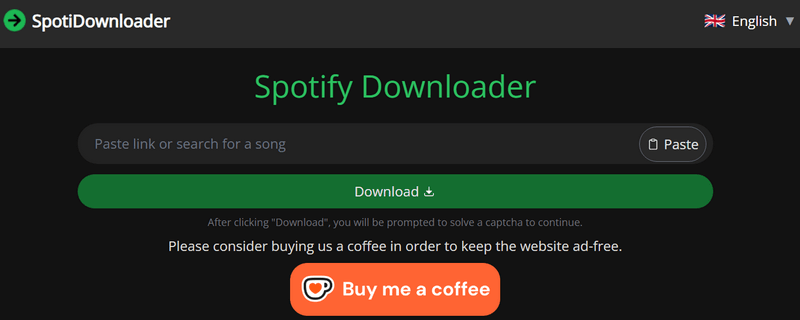
Formerly known as SpotifyDown, this free online Spotify downloader has migrated to spotidownloader.com due to legal issues. Unlike many free online downloader websites that rely heavily on ads, this site is completely ad-free and instead includes a donation button to support the service. Designed for users who want a quick and simple way to save Spotify music as MP3 files, it requires no additional software installation. By pasting a song, album, or playlist link from Spotify, you can download tracks directly to your device, with playlists conveniently packaged into ZIP files for easy download. (Is it safe and legal to use? --> Read SpotiDownloader Full Review)
How to download Spotify music to MP3 via spotidownloader.com?
- Step 1 Open Spotify on browser or Spotify app, then copy the link to a track, album, or playlist from Spotify.
- Step 2 Go to SpotiDownloader website and paste the URL into the input box on the website and click "Download."
- Step 3 If you download an entire playlist from Spotify, then click "Download ZIP".
- Step 4 Click “Download MP3" to start downloading and saving the Spotify songs in MP3 on your device.
- Free to download Spotify single song or whole playlist to MP3.
- No requirement for installing extra apps.
- Work on many devices with a browser.
- Don't support Spotify podcast, audiobook, MV, etc.
- Output quality is relatively low, only at 128kbps MP3.
- Some tracks may fail to download, showing error messages in a sudden.
- All the downloaded tracks' titles have website link prefixes.
2. spotdown.org
| Spotdown | |
|---|---|
| Link | https://spotdown.org/ |
| Working platform | Windows, macOS, Phone, Tablet |
| Output Quality | Lossy audio quality (128kbps MP3) |
| Speed | Fast |
| Price | Free (Ask for donation) |
| Ease of use |
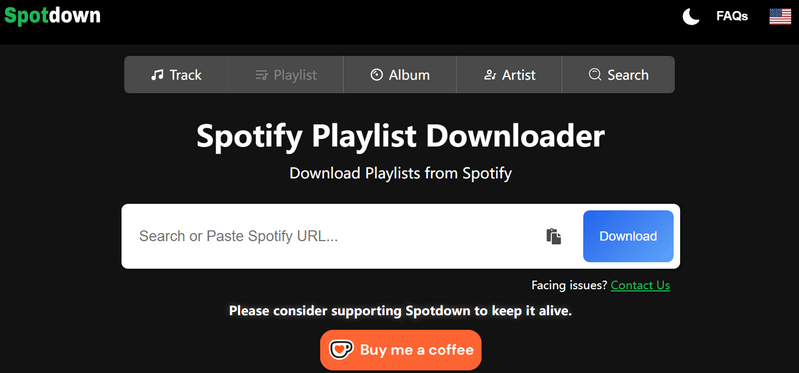
SpotDown is a free online Spotify song downloader that supports downloading tracks, playlists, and albums from Spotify to MP3 at high speed. The website is ad-free and does not require users to create an account, making it a safe and convenient option for saving Spotify songs to your device. In addition to the standard copy-and-paste URL method, SpotDown also offers a built-in search feature. You can enter a song title, lyrics, or an artist’s name in the search field to quickly find the track without needing the Spotify link. Once the song appears, simply click the download button to start the downloading process and save the MP3 audio to your device.
How to download Spotify music to MP3 via spotidown?
- Step 1 Open your Spotify song or playlist, and copy its link.
- Step 2 Visit Spotdown website and paste the copied URL into the input box and click "Download."
- Step 3 The website will display the songs, click “Get Link” to download single track, or click “Download All Songs” to download all playlist songs.
- Step 4 Find downloaded MP3 files under Download folder.
- Export MP3 from Spotify songs, album or playlist for free.
- Download songs by either pasting a Spotify URL or using the built-in search feature with keywords.
- Work on mobile, tablet, PC, or desktop.
- Don't support Spotify podcast, audiobook, MV, etc.
- You may have to go through 2–3 redirects before the MP3 download starts.
- Output quality is around 128kbps.
- Output Spotify track name contains its webpage name.
3. SpotMate
| SpotMate | |
|---|---|
| Link | https://spotmate.online/en1 |
| Working platform | Windows, macOS, Phone, Tablet |
| Output Quality | Lossy audio quality (128kbps MP3) |
| Speed | Fast |
| Price | Free |
| Ease of use |
SpotMate is a free option for downloading your favorite Spotify songs, playlists, and albums as standard MP3 files, giving you the freedom to listen to music on the go. As an online Spotify downloader, it doesn’t require installing any apps or plugins, making it a convenient way to enhance your music downloading experience. Simply copy and paste the Spotify song URL into the website and wait for the download to complete. With the MP3 output, you can enjoy your music effortlessly on a wide range of devices.
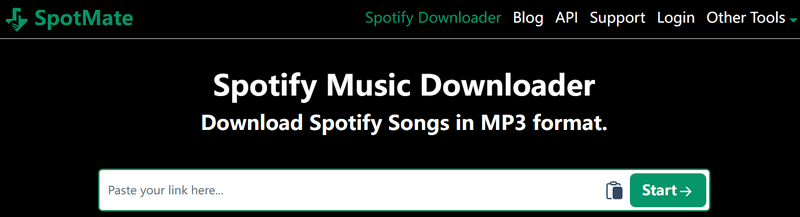
How to download Spotify songs to MP3 via SpotMate?
- Step 1 Find the track or playlist in Spotify, then copy the URL.
- Step 2 Visit SpotMate website and paste the copied URL into the input box and click "Download."
- Step 3 Wait for the download to complete, and then you’ll get the MP3 file.
- Free download Spotify songs to MP3.
- Save cover art as a separate file.
- Provide Android app to download Spotify songs in MP3.
- Don't support Spotify podcast, audiobook, MV, etc.
- Download a single song at one time.
- Download Spotify music as low quality 128kbps MP3 file.
- Pop-up ads will appear before your download begins.
Try Kigo Spotify Converter to Save your Spotify Playlists!
Convert Spotify songs to 320kbps MP3. Retain ID3 tags & lyrics. 10X conversion speed.4. SPOTIDOWN
| SPOTIDOWN | |
|---|---|
| Link | https://spotidown.app/en1 |
| Working platform | Windows, macOS, Phone, Tablet |
| Output Quality | Lossy audio quality (128kbps MP3) |
| Speed | Slow |
| Price | Free |
| Ease of use |
SPOTIDOWN, which is very similar to the #2 solution SpotDown, is another popular free online Spotify song downloader. It supports downloading not only single Spotify tracks but also entire albums and full playlists in MP3 format. Individual tracks can be downloaded directly, while playlist and album downloads are conveniently packaged into ZIP files. The downloaded MP3 files retain useful metadata, including song title, album name, and cover art, making music management easier. With no software installation required, SPOTIDOWN is an ideal option for users who want to store and enjoy their favorite Spotify songs offline on a computer or Android device. (Read SpotiDown review -->)
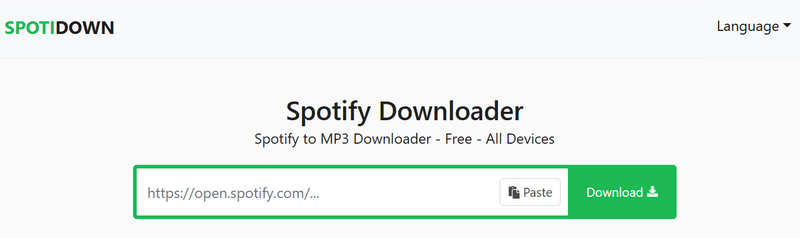
How to use SpotiDown to download Spotify songs to MP3 online?
- Step 1 Open Spotify Web or App and search for the song or playlist you want to download.
- Step 2 Copy the link of the Spotify song or album you want to download.
- Step 3 Visit Spotidown website shown above and paste the copied URL into the input box.
- Step 4 Click the Download button, then choose the Download MP3 option to start downloading your music.
- Free Spotify to MP3 downloader online.
- Support downloading Spotify podcast.
- Retain metadata such as song title, album name, and cover art.
- Work on Windows PC, Mac, Android, and iOS devices.
- Don't support Spotify audiobooks, music video etc.
- Output audio quality is around 128kps.
- Ads may pop out during the downloading process.
- Free version only allows you to download five tracks.
5. SpotiSongDL
| SpotiSongDL | |
|---|---|
| Link | https://spotisongdownloader.com/en1/ |
| Working platform | Windows, macOS, Phone, Tablet |
| Output Quality | 128kbps ~ 320kbps |
| Speed | Medium |
| Price | Free |
| Ease of use |
Unlike many Spotify online playlist downloaders that only export music as MP3, SpotiSongDL offers two output formats: MP3 and M4A. When selecting M4A, you can download 128 kbps files directly from Spotify. If you prefer MP3, the tool allows you to choose audio quality ranging from 128 kbps to 320 kbps. For bulk playlist downloads, this free online Spotify downloader provides an option to package all songs into a single ZIP file for convenience. However, the service can be unstable at times, and some songs may be missing from the final downloaded folder.
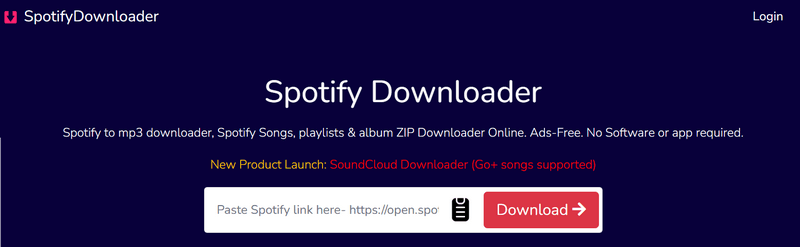
How to convert Spotify songs to MP3 online with spotisongdownloader.com?
- Step 1 Open Spotify Web or App and find the track or playlist you want to save.
- Step 2 Copy and paste the URL of the Spotify song into the input field on SpotiSongDL.
- Step 3 Click "Generate Links" and expand the audio quality option (320 Kbps, 256 Kbps, 192 Kbps or 128 Kbps).
- Step 4 Click the Download button, then wait for the download to start.
- Support downloading all tracks of a Spotify album/playlist into ZIP format.
- No need to download any software or random Apk apps.
- Output audio format including MP3 and M4A.
- Work on Windows PC, Mac, Android, and iOS devices.
- Don't support Spotify podcast, audiobook, MV, etc.
- Ask for login to get higher quality download.
- Ads may pop up during the downloading process.
6. Kigo Music One
| Kigo Music One | |
|---|---|
| Link | https://www.kigosoft.com/music-one/ |
| Working platform | Windows, macOS |
| Output Quality | Original audio quality |
| Speed | Fast (10x) |
| Price | $79.90 / yr |
| Ease of use |
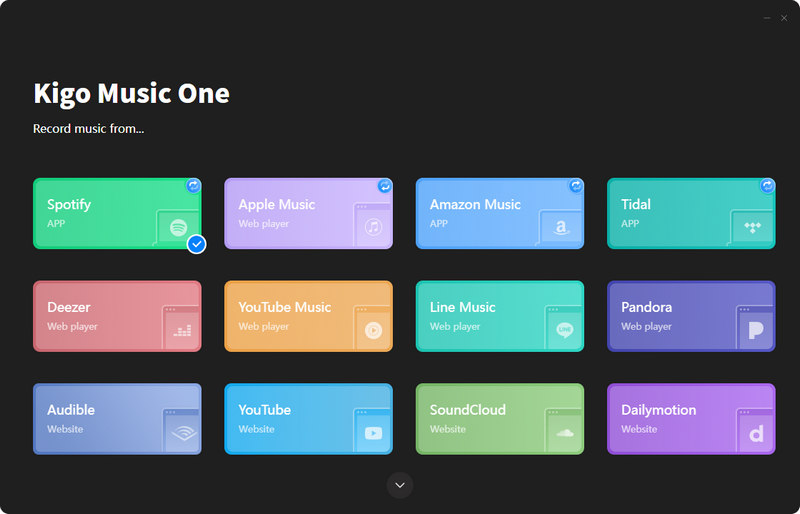
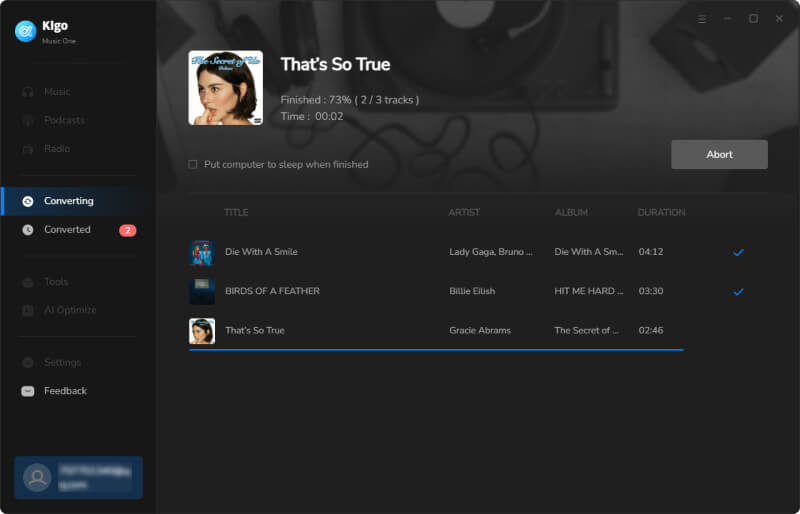
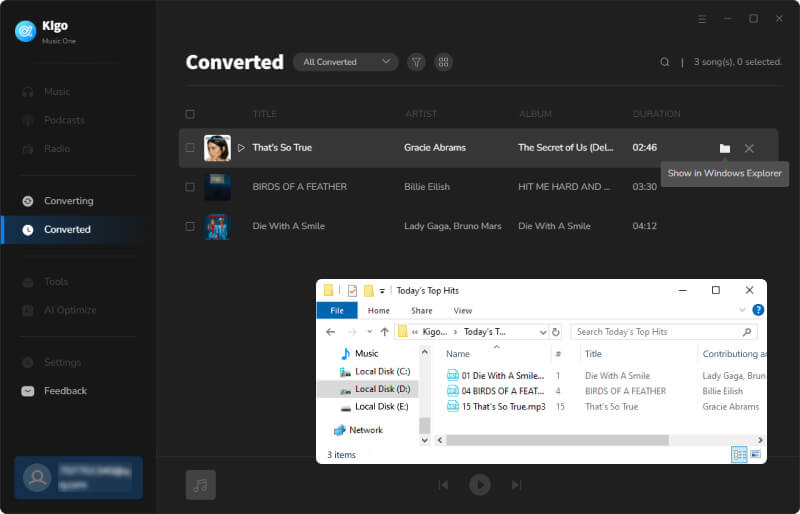
Kigo Music One is a comprehensive music downloader that helps you easily save MP3 files from various streaming music platforms. Whether you want to download a single track, an album, a whole playlist, an audiobook, or a podcast, simply choose the desired platform and Kigo Music One will access the content and download your favorites in lossless quality. With up to 10× faster conversion speed and full ID3 tag preservation, it is an ideal solution for building and managing your music library offline. Besides, the program includes several useful yet free built-in tools, such as audio format converter, CD burner, ID3 tag editor, and podcast downloader. Although it is an all-in-one music downloader, it is lightweight and features a clean, concise design, making it user-friendly for users of all technical levels.
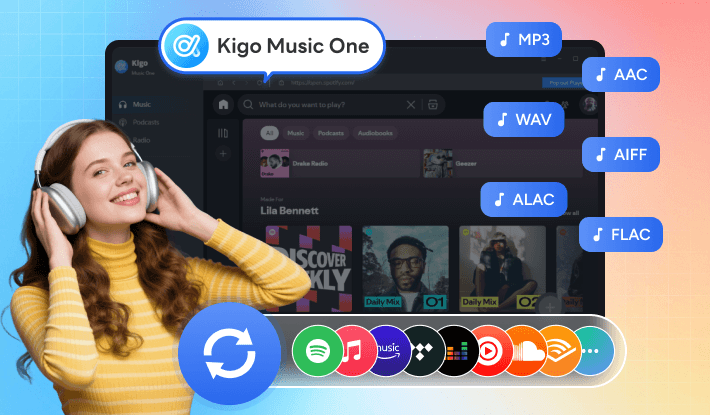
How to use Kigo Music One to download Spotify playlist to MP3?
- Step 1 Choose Spotify service and log in Spotify account.
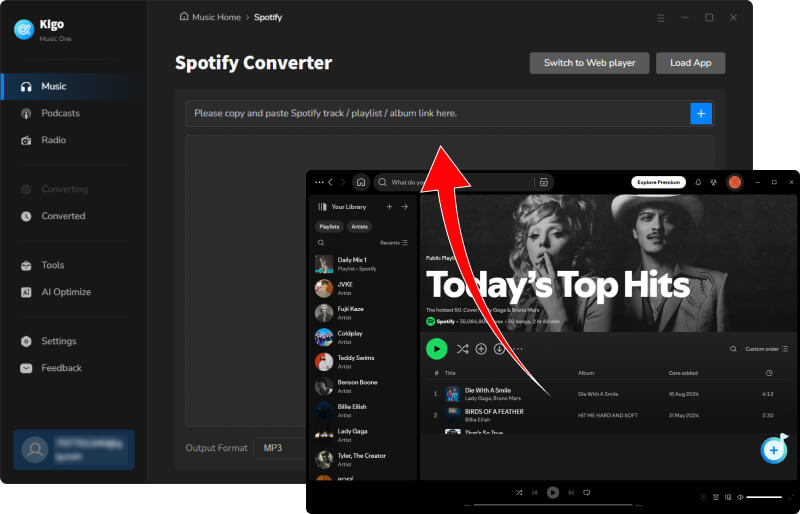
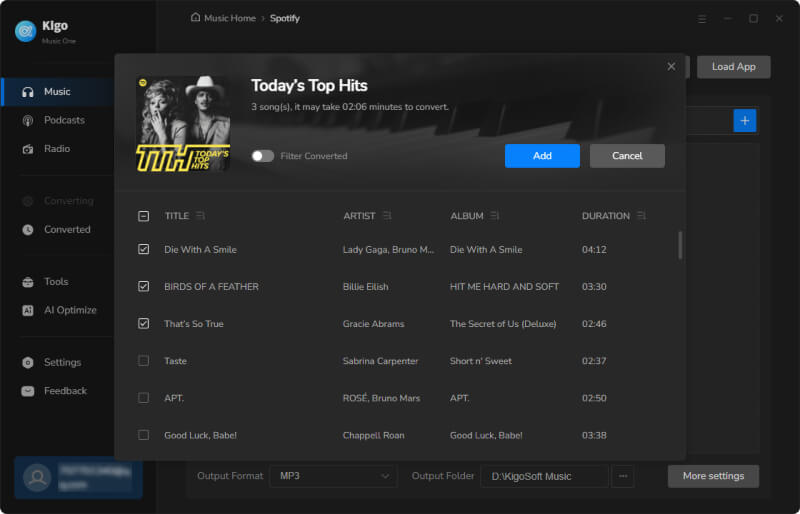
- Step 2 Find your favorite Spotify playlist and click + to add the songs.
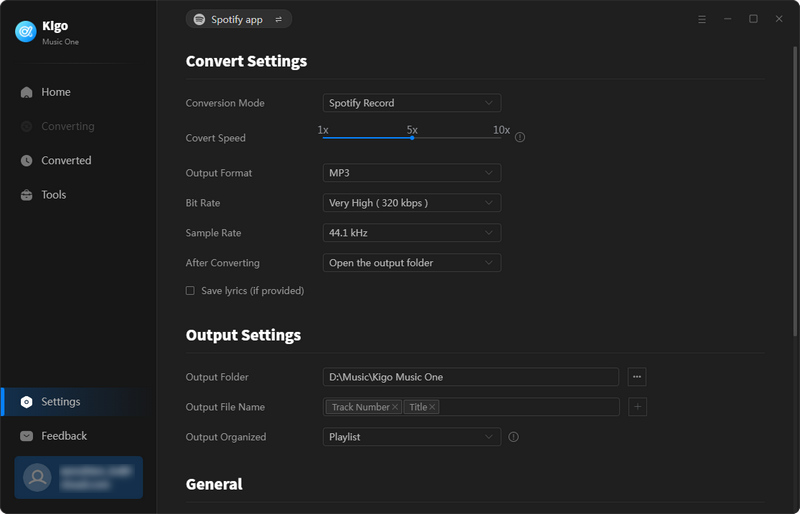
- Step 3 Go to Settings and choose the output format as MP3, adjust the parameters like bitrate, speed, download mode according to your needs.
- Step 4 Click Convert to start downloading Spotify playlist to MP3 in batch.
- Download Spotify songs in batch, with original quality.
- Support download songs from other platforms like Apple Music, Tidal, Deezer and etc.
- Flexible output settings to suit different personal needs.
- Reasonable price for new users.
- Can't work on phone or tablet.
7. Keepvid
| Keepvid | |
|---|---|
| Link | https://keepvid.ch/spotify-download-new12 |
| Working platform | Windows, macOS, Phone, Tablet |
| Output Quality | Lossy audio quality (128kbps MP3) |
| Speed | Slow (with upgrade option) |
| Price | Free |
| Ease of use |
Although it functions as an online Spotify song downloader that can convert Spotify music to MP3, this tool also supports downloading songs from other platforms, including Amazon Music, Apple Music, YouTube, TikTok, and Facebook. The website itself is ad-free, but when you follow the steps to download a Spotify song, you will be redirected to third-party websites to complete the download, which can pose potential risks. In addition, the downloader only provides 128 kbps audio quality for free. It frequently prompts users to upgrade to a paid premium plan for higher audio quality, which can feel intrusive and frustrating.
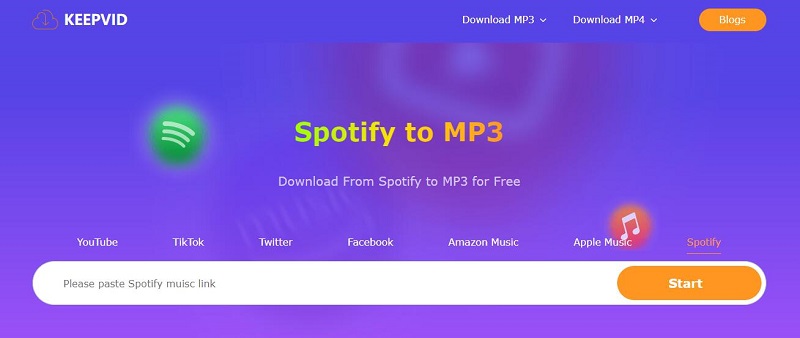
How to download Spotify playlist to MP3 online with KeepVid?
- Step 1 Open Spotify Web or App, and copy the link of the track you want to download.
- Step 2 Insert the URL you've copied into the input field and click "Start" for the link analysis.
- Step 3 Click the "Audio (.mp3)" button to download track. Please note that you will be redirected to another website to complete the download, and some promotional pop-up windows may appear. Simply close them to continue.
- Free download songs from Spotify online.
- Support download songs from other platforms like YouTube, Apple Music.
- Don't support Spotify podcast, audiobook, MV, etc.
- Redirect to another unknown website when download starts.
- Download one track at one time.
- Output quality is low, only at 128kbps.
8. pastedownload.com
| pastedownload.com | |
|---|---|
| Link | https://pastedownload.com/29/ |
| Working platform | Windows, macOS, Phone, Tablet |
| Output Quality | Lossy audio quality (128kbps MP3) |
| Speed | Slow |
| Price | Free |
| Ease of use |
PasteDownload.com is an online tool for downloading both videos and music from the web. It supports saving videos from popular platforms like YouTube, Facebook, Instagram, and TikTok in MP4 format, and it can also download Spotify songs as MP3 files. A visible changelog on the homepage adds transparency and helps users feel more confident trying the service. The download process is straightforward and only takes three steps. However, while the site processes Spotify links, many ads appear on the page, which can be distracting and easy to click accidentally.

How to download Spotify audio to MP3 with pastedownload.com?
- Step 1 Copy the Spotify song audio link.
- Step 2 Visit the website and paste the link into the box.
- Step 3 The website will analyze the link for some seconds. Once the link has been successfully processed, click Download to export MP3 from Spotify songs.
- Work directly in your web browser.
- No registration or fees required.
- Support downloading videos too.
- Don't support Spotify podcast, audiobook, MV, etc.
- Sometimes, it does not work with some Spotify playlist URL.
- Output audio is of low quality.
Try Kigo Spotify Converter to Save your Spotify Playlists!
Convert Spotify songs to 320kbps MP3. Retain ID3 tags & lyrics. 10X conversion speed.9. soundloaders.app
| soundloaders.app | |
|---|---|
| Link | https://soundloaders.app/ |
| Working platform | Windows, macOS, Phone, Tablet |
| Output Quality | Lossy audio quality (128kbps MP3) |
| Speed | Medium |
| Price | Free (with paid options) |
| Ease of use |
Soundloaders.app is a clean and easy-to-use online website for downloading Spotify songs, albums, and playlists as plain MP3 files. No registration is required. What you should do is simply copying and pasting the Spotify song URL, then wait for the music to download quickly and for free. Even you are a Spotify free user, you can save the Spotify track without ad. One key advantage of this online Spotify playlist downloader is that it preserves important metadata, including artist name, song title, album artwork, and release year. When downloading a Spotify playlist, all tracks are conveniently packaged into a ZIP file, saving time and efforts.
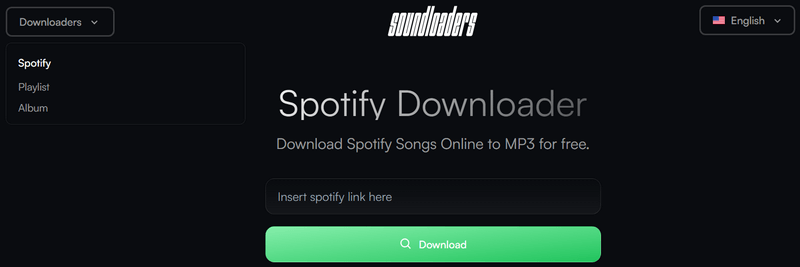
How to download Spotify playlist to MP3 with soundloaders.app?
- Step 1 Open the Spotify website or desktop app, then copy a playlist or album URL.
- Step 2 Open this Spotify Downloader page and paste the link on text input.
- Step 3 Click on "Download" to check the song information. Click on "Download MP3" to start downloading Spotify songs.
- Browser-based tool, works on Chrome, Firefox, Safari, Edge.
- Keep some metadata such as artist name, song title, album artwork, and release year.
- Download Spotify playlist to MP3 for free.
- Don't support Spotify podcast, audiobook, MV, etc.
- The downloading process may be unstable sometimes.
- Lossy output audio quality.
10. Spowload
| Spowload | |
|---|---|
| Link | https://spowload.cc/en2 |
| Working platform | Windows, macOS, Phone, Tablet |
| Output Quality | Lossy audio quality (128kbps MP3) |
| Speed | Slow |
| Price | Free |
| Ease of use |
Spowload is a web-based Spotify playlist downloader that doesn’t require installing any apps or creating an account. By simply copying and pasting a Spotify song link and clicking the download button, you can save the track as an MP3 file. Although it supports downloading Spotify playlists, it does not offer batch conversion, which makes it inefficient if you want to download a large number of songs. Another drawback is that the website contains many third-party redirect ads. Clicking almost anywhere on the page may lead to advertising sites, which can be intrusive and may pose privacy risks.
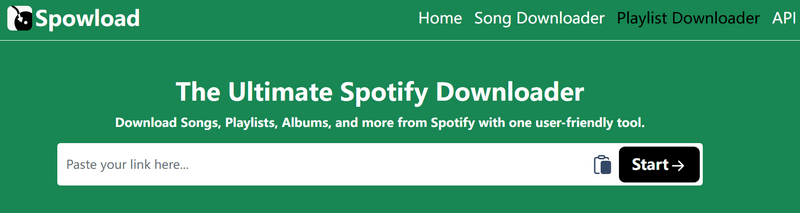
How to convert Spotify playlist to MP3 with Spowload online downloader?
- Step 1 Open Spotify and find the Spotify track you want to download.
- Step 2 Copy the Spotify track or playlist URL.
- Step 3 Paste the link to the input field of this website.
- Step 4 Click "Start" to process, then click Convert to save Spotify songs as MP3.
- Free to download Spotify songs to MP3 audio.
- No need to download extra app.
- Don't support Spotify podcast, audiobook, MV, etc.
- Too many advertisements and redirections before the download starts.
- Low output quality.
Part 3: Comparison Among Top Spotify Playlist Downloaders Online 🆚
There are at least two ways to download Spotify playlist as MP3 files: using Spotify downloader app or online Spotify MP3 downloader. What are the differences between these two solutions, and what makes Kigo Spotify Converter a better choice for saving MP3 files from Spotify playlists? Take a look at the comparison chart below for an overview.
| Solutions | Output Format | Output Quality | Audio Source | Download Speed | Batch Conversion | Keep Metadata | Ad-free |
|---|---|---|---|---|---|---|---|
| 🌟Kigo Spotify Converter | MP3, AAC, FLAC, WAV, AIFF, ALAC. | Original quality (Lossless) | Spotify app and Spotify Web Player | Up to 10x | ✔️ | ✔️ (title, album, artist, artwork, track number, Disc number, year, conver art, etc) | ✔️ |
| spotidownloader.com | MP3 | Lossy 128kbps MP3 | YouTube | Fast | ✔️ | ❌ | ✔️ |
| spotdown.org | MP3 | Lossy 128kbps MP3 | YouTube | Fast | ❌ | ✔️ (song title, album name, and cover art) | ❌ |
| SpotMate | MP3 | Lossy 128kbps MP3 | YouTube | Fast | ❌ | ❌ | ❌ |
| SPOTIDOWN | MP3, M4A | 128kbps ~ 320kbps | YouTube | Slow | ✔️ | ❌ | ❌ |
| SpotiSongDL | MP3 | Lossy 128kbps MP3 | YouTube | Medium | ✔️ | ❌ | ❌ |
| 🌟 Kigo Music One | MP3, AAC, FLAC, WAV, AIFF, ALAC. | Original quality (Lossless) | Spotify app and Spotify Web Player | Up to 10x | ✔️ | ✔️ (title, album, artist, artwork, track number, Disc number, year, conver art, etc) | ✔️ |
| Keepvid | MP3 | Lossy 128kbps MP3 | YouTube | Slow | ❌ | ❌ | ✔️ |
| pastedownload.com | MP3 | Lossy 128kbps MP3 | YouTube | Slow | ❌ | ❌ | ❌ |
| soundloaders.app | MP3 | Lossy 128kbps MP3 | YouTube | Medium | ❌ | ✔️ (artist name, song title, album artwork, and release year) | ❌ |
| Spowload | MP3 | Lossy 128kbps MP3 | YouTube | Slow | ❌ | ❌ | ❌ |
Online free Spotify song downloaders offer an easy and convenient way to download Spotify songs as MP3 files. However, compared with Kigo Spotify Converter, their output quality is usually lossy, as these tools often source audio from YouTube rather than directly from Spotify. If audio quality is not a major concern for you, you can choose any of the online Spotify playlist downloaders mentioned above to complete the download task.
Kigo Spotify Playlist Downloader stands out for its ability to preserve lossless sound quality, retain complete ID3 tags, support fast conversion speed, and offer flexible settings for organizing output files and formats. In addition, its built-in music tools—such as format conversion, CD burning, and ID3 tag editing—make it a professional solution for downloading Spotify music to MP3. With its comprehensive feature set, it also meets everyday music downloading and editing needs. It is best suited for users who:
- You have a Spotify free account and want to download songs offline.
- You own lots of portable devices.
- You don't like the occasional ads interrupt the listening experience.
- You are an audiophile.
- You are a DJ.
- You have a large music collection.
- You live in an area with an unstable internet connection.
- You care much about your privacy.
FAQs about Spotify Playlist to MP3 Converter
❓ What are the best Spotify music downloader I can use?
We've introduced several Spotify music downloaders above, each with its own pros and cons, allowing you to choose the one that best fits your needs. However, when considering key factors such as sound quality, stability, and available features, Kigo Spotify Converter stands out as the best overall solution for downloading Spotify playlists.
❓ Can the online Spotify playlist downloader download video from Spotify?
Based on our testing, free online Spotify downloaders only support downloading Spotify tracks, albums, or playlists as MP3 files. They do not support downloading podcast videos or music videos. If you want to download a wider range of Spotify content, including videos and podcasts, Kigo Spotify Downloader is a better option.
❓ Is it safe to use online Spotify song downloader?
Free online Spotify downloader websites often come with risks. Advertisements and frequent redirects can pose security threats, potentially leading to privacy leaks or system crashes.
Conclusion
We've covered 10+ free online Spotify playlist downloaders above. You can choose the tool that best matches your needs and download Spotify playlists to MP3 for free. For occasional use, online Spotify MP3 downloaders work well thanks to their convenience. However, if you care about more than just getting MP3 files—such as sound quality, complete metadata, and overall stability—Kigo Spotify Converter stands out as a professional, reliable, and secure solution for converting Spotify music for offline enjoyment.
Note: The trial version allows you to download the first 1 minute of each file. To access the full length, please unlock it with a valid license code.

Simon Durden | Editor-in-Chief
Simon Durden is the Editor-in-Chief at KigoSoft, specializing in music, video download and conversion. Before joining to KigoSoft, he served as a senior writer with the Any Video Converter Team. With extensive knowledge of music, video streaming platforms and expertise in video editing, Simon delivers high-quality content, expert tips, and in-depth tutorials in the multimedia field.